
Empowering Power BI
irna
Wed, 12/13/2023 - 07:22
Duration
4 Days
Price
--- Call Us ---
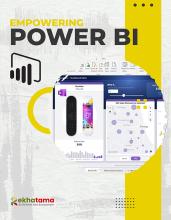
Power BI is a data analysis application owned by Microsoft. Power BI is currently used to build dashboards for top management to help read data. By participating in this training, participants are expected to be able to use power BI from the start to retrieve data from MS Access and Excel and turn it into a report that top management can understand in a visual form. Perform data analysis processes and make data ready to serve in the form of certain conclusion.
Who Should Attend:
- Data analyst
- UI / UX programmer
- Project manager
- User
Objectives
1. Introducing Power BI
- Getting started with Power BI
- Uploading data to Power BI
- Introducing natural-language queris
- Introducing reports
- Introducing Visual Interactions
- Decorating the report
- Saving the report
- Pinning a report
- Filtering a report
2. Understanding data refresh
- Introducing data refresh
- Introducing Power BI represh architecture
- Introducing Power BI Desktop
- Publishing to Power BI
3. Using Power BI Desktop
- Connecting to a database
- Loading from multiple sources
- Using Query Editor
- Hiding or removing tables
- Handling seasonality and sorting months
4. Getting data from services and content packs
- Consuming a service content pack
- Creating custom dataset from service
- Creating content pack
- Consuming an organizational content pack
5. Building data model
- Loading individual tables
- Implementing measures
- Creating calculated columns
- Improving the report by using measures
6. Improving Power BI reports
- Chosing right visualizations
o Choosing between standard visuals - Using custom visualization
o First step with customs visualizations
o Imporving report by using customs visualizations
o Identifying conditions when customs visualization are required - Using DAX data models
- Creating high-density reports
7. Using Power BI in your company
- Getting data from existing systems
o Understanding differences between data refresh and live connections
o Using relational database on-premises
o Using relational database in cloud
o Using live connections to analysis services - Integrating Power BI with office
o Publish Excel data models in Power BI
o Consume Power BI content from excel - Managing Security to access data
- Extending and customizing Power BI
o Creating custom visualizations for Power BI
o Pushing real-time data to Power BI dashboard
o Introducing the Power BI REST API
Contact
- Nurman (+62 857-2375-3840)
- Irna (+62 822-1664-7749)
- Puji (+62 813-2424-2115)
- Shafa (+62 813-9049-0664)